
Oqto Diagram pro - Google Play
You'll be able to see results in few seconds.
Publisher Description
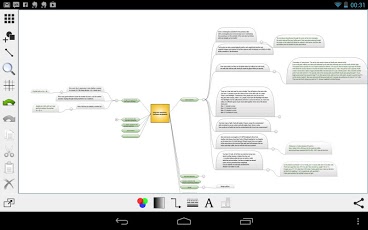
Oqto is a powerful diagram editor available on your mobile device.
With Oqto you can create flowcharts, organization charts, mind maps, finite states machines, complex graphs and more. It is easy to share your work in many formats (JPEG, PDF, SVG and OQTO).
Oqto is recommended for tablets or devices with a 4 inch display or more. If you want to use on smaller display, please try the demo version first.
Supported features:
- Basic shapes, Flowcharts, Arrows, logic gates.
- Mind map support.
- Multiple wiring modes: straight, orthogonal and curve.
- Multiple connections shapes: arrow, rectangle, circle and diamond.
- Text decoration of shapes, connections and wires.
- Share diagrams by exporting to PNG, JPEG, SVG and OQTO.
- Diagrams browser.
- Multiple selection.
- Copy, cut, past, undo, redo.
- Pinch zoom.
- Grid, snap to grid.
- Alignment tools.
- Rich color selection tools: palette, RGB mode, HSV mode.
- Alpha channel support (i.e. opacity).
- Multiple pen weight, and dashes.
- Multiple fonts support, font color, size and style.
Oqto was tested on the following devices:
- Google Nexus 7 tablet.
- Samsung Galaxy SIII phone.
Please contact support@oqtosoft.com for further information.
To report a bug send us an e-mail to oqto.bugs@oqtosoft.com
About Oqto Diagram pro
The company that develops Oqto Diagram pro is oqtosoft. The latest version released by its developer is 1.0 .
To install Oqto Diagram pro on your Android device, just click the green Continue To App button above to start the installation process. The app is listed on our website since 2015-06-13 and was downloaded 0 times. We have already checked if the download link is safe, however for your own protection we recommend that you scan the downloaded app with your antivirus. Your antivirus may detect the Oqto Diagram pro as malware as malware if the download link to com.oqtosoft.oqto is broken.
How to install Oqto Diagram pro on your Android device:
- Click on the Continue To App button on our website. This will redirect you to Google Play.
- Once the Oqto Diagram pro is shown in the Google Play listing of your Android device, you can start its download and installation. Tap on the Install button located below the search bar and to the right of the app icon.
- A pop-up window with the permissions required by Oqto Diagram pro will be shown. Click on Accept to continue the process.
- Oqto Diagram pro will be downloaded onto your device, displaying a progress. Once the download completes, the installation will start and you'll get a notification after the installation is finished.
Program Details
System requirements
Download information
Pricing
Version History
version
posted on 2015-06-13
----------------------,Version 2.2.2,---------------------,- Added UML diagram support,- Minor bug fix,----------------------,Version 2.2.0,---------------------,- Archive diagrams.,- Sort files by date and by name.,- Instant save,- Minor bug fixes
version Varies with device
posted on 2013-06-30
Several fixes and updates
Disclaimer
Official Google Play Link
We do not host Oqto Diagram pro on our servers. We did not scan it for viruses, adware, spyware or other type of malware. This app is hosted by Google and passed their terms and conditions to be listed there. We recommend caution when installing it.
The Google Play link for Oqto Diagram pro is provided to you by apps112.com without any warranties, representations or guarantees of any kind, so access it at your own risk.
If you have questions regarding this particular app contact the publisher directly. For questions about the functionalities of apps112.com contact us.
